Why governance matters
Unchecked BI adoption creates shadow datasets, sprawl, inconsistent metrics, and compliance risk. Good governance balances access with control: it ensures people get the data they need while minimizing leakage, errors, and regulatory exposure. Microsoft’s guidance frames governance as a combination of tenant controls, data classification, and operational processes: a pattern you’ll see repeated across mature organizations.
The three pillars of Power BI governance
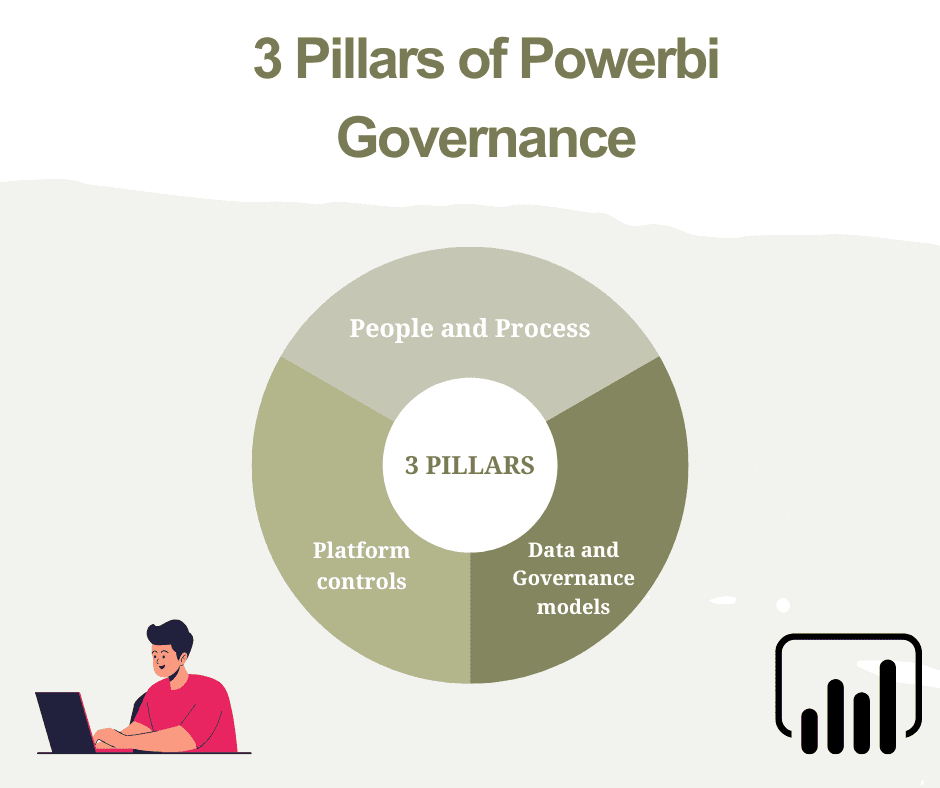
1. People & process — policies, roles, owners, CoE (Centre of Excellence)
2. Platform controls — tenant settings, sensitivity labels, DLP, encryption
3. Data & model governance — semantic models, certified datasets, lineage and cataloguing
You require all three. Technology in the absence of clear ownership becomes brittle; process in the absence of controls becomes dangerous. The finest programs establish a lightweight CoE that imposes standards, trains teams, and automates guardrails. Realistic adoption roadmaps from Microsoft suggest these steps as part of a Fabric/Power BI deployment.
Power BI admin controls you must know
Control | Why it matters | Where to start |
|---|---|---|
Tenant settings | Turn features on/off for your org; limit previews to pilots | Audit and lock down high-risk features; use security groups for early access. |
Workspace roles & permissions | Keep content-edit rights limited; control publishing | Standardize workspace templates and enforce least privilege. |
Certified/Promoted datasets | Create a single source of truth | Promote datasets only after QA and documentation. |
Audit logs & usage metrics | For compliance & adoption tracking | Enable activity logging and integrate with SIEM if needed. |
Encryption & key management | Protect data at rest/in transit | Use Microsoft-managed keys or customer-managed keys for Premium. |
Key takeaway: Tenant settings and workspace governance are the first level of defense so one needs to configure them early and review regularly.
Sensitivity labels & Data Loss Prevention (DLP)
Sensitivity labeling (from Microsoft Purview Information Protection) and DLP are the power tools for preventing accidental exposure.
Sensitivity labels let you classify reports, datasets, dataflows, and .pbix files (e.g., Confidential, Internal, Public). Labels can enforce encryption, watermarking, or restrict export actions. Apply labels at the source (dataflows/semantic models) so downstream artifacts inherit protection.
DLP policies can block risky actions (export to unmanaged destinations, sharing outside tenants, copying to external workspaces) and detect sensitive info types in datasets. DLP works with sensitivity labels and sensitive information types to provide automatic protection.
Practical steps
Define your sensitivity taxonomy (Public / Internal / Confidential / Restricted).
Map sensitivity levels to allowed actions (who can export, share, or connect).
Roll out labels and DLP in pilot, then enforce more broadly once stable.
Pro tip: enable labels on semantic models and dataflows first — it’s easier to control policy at the source than to retroactively label dozens of reports. Microsoft Learn
Row-Level Security (RLS): Protect data at query time
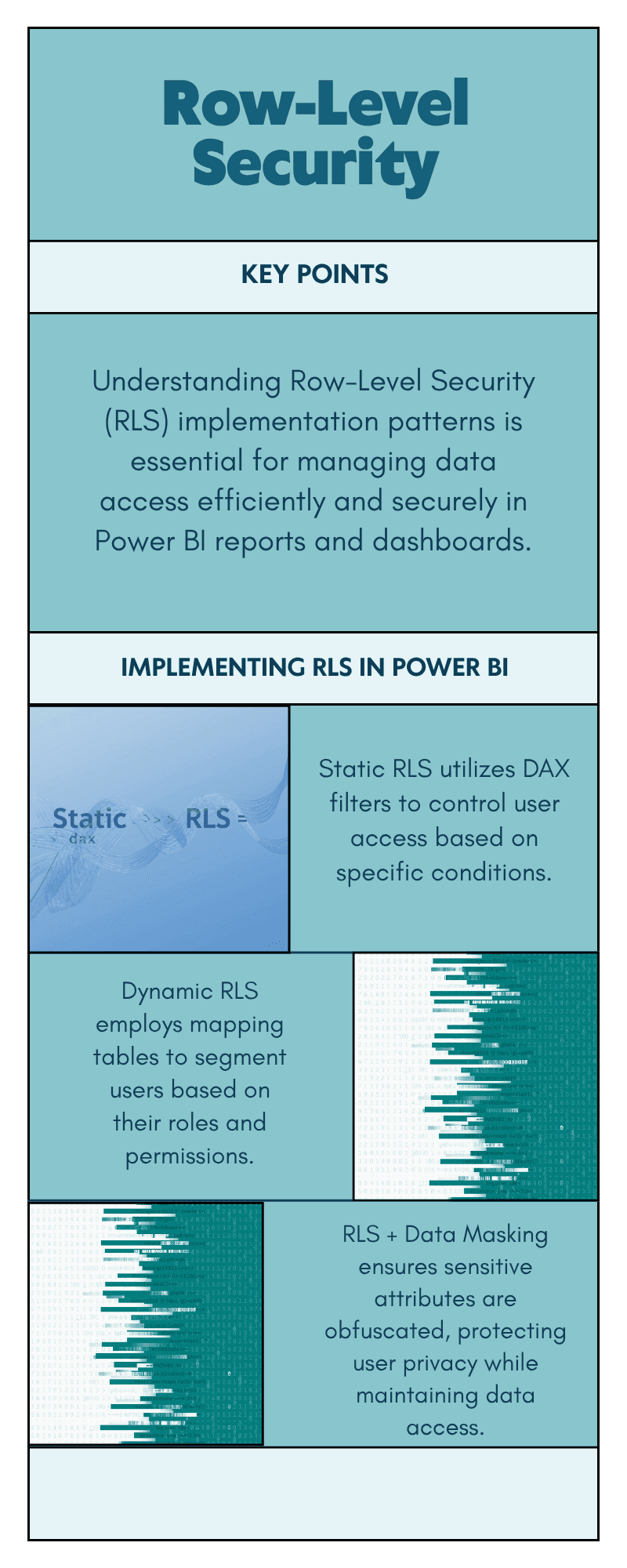
RLS limits which rows end-users can view at runtime. Apply RLS to multi-tenant situations (SaaS embedding), geographic data partitioning, or role-defined views.
Implementation patterns
Static roles: create DAX filters in the model (e.g.,
UserRegion = USERPRINCIPALNAME()or lookup table).Dynamic RLS: use mapping tables (user → allowed segments) maintained in a central table (ideal for fleets of users).
RLS + data masking: for highly sensitive attributes, combine RLS with column-level masking at the source or use DAX to obfuscate.
Caveat: RLS must be validated end-to-end — test with users in different AD groups, and remember that exported data or screenshots may bypass RLS if users have export permissions. Always pair RLS with export restrictions for sensitive content. (See sensitivity labels + DLP above.)
Lineage, cataloging & certified datasets
Trust comes from provenance. Ensure dataset lineage and certification are of high quality.
Catalog & discoverability: maintain a data catalog (e.g., Microsoft Purview or your catalog of choice) to show dataset owners, descriptions, and tags.
Dataset certification: only mark datasets as certified after QA checks (reconciliation, refresh stability, performance). Certified datasets should have versioning and contact owners.
Lineage visuals: visualize where data comes from (source → ETL → dataflow → dataset → report) so auditors and analysts can trace reported numbers back to sources.
Microsoft’s Fabric/Power BI guidance emphasizes lineage and cataloging as part of adoption roadmaps — it’s how you scale trust.
Operational best practices: CoE, lifecycle, and automation
Centre of Excellence (CoE) responsibilities
Define naming conventions, workspace templates, and tagging schemes.
Run onboarding and certification for developers and data owners.
Monitor tenant usage, identify shadow workspaces, and remediate orphaned assets.
Automate lifecycle policies (archive unused reports, notify owners of stale datasets).
Content lifecycle policy (example)
Dev workspace (editable by devs)
QA workspace (owner review + load testing)
Production workspace (read-only for consumers; certified datasets)
Archive (auto-move after 6–12 months inactivity)
Automation tip: use Power BI REST APIs and admin scripts to enforce workspace templates, move content, or generate reports of orphaned datasets.
Governance checklist — quick table you can use today
Area | Action (quick) | Owner |
|---|---|---|
Tenant settings | Audit & restrict preview features; define admin groups. | Platform admin |
Sensitivity labels | Publish labels & apply to key datasets/dataflows. | Data governance lead |
DLP policies | Create policies blocking external exports for Confidential data. | Security team |
RLS | Implement dynamic RLS for multi-tenant or regional scenarios. | Data modeler |
Certification | Create a certification workflow (QA steps + owner sign-off). | CoE |
Lineage | Catalog datasets and visualize lineage in Purview. | Data engineering |
Monitoring | Enable audit logs and integrate with SIEM/monitoring. | Security/Platform |
For practical implementation guidance and tenant planning, Microsoft’s implementation planning docs are an authoritative starting point.
Governance for AI features & Fabric (2025 considerations)
With AI copilots and fabric-like platform consolidation, governance now needs to cover model usage and LLM/API costs.
Model lineage: track which model (or Copilot prompt/template) generated a narrative insight or recommended action. Log prompts and outputs for high-risk decisions.
Guardrails & approval gates: for high-impact recommendations (budget reallocation, pricing changes), require human sign-off and record it.
Cost governance: instrument LLM/API usage and tie it back to projects — unchecked generation can drive large vendor costs.
Data minimization: avoid sending sensitive PII to external LLMs unless you’ve validated the data protection agreement and masking.
These considerations fold naturally into data governance processes and sensitivity label policies — increasingly recommended in modern Fabric adoption guides.
Common pitfalls & how to avoid them
Pitfall: Letting self-service run without CoE oversight → Fix: phased rollout with templates, certification, and usage monitoring.
Pitfall: Relying only on last-click definitions or ad-hoc metrics → Fix: standardize metric definitions in certified semantic models.
Pitfall: Applying labels inconsistently → Fix: automate labeling where possible, and require labels on publishing to production workspaces.
Pitfall: No audit trail on AI-generated changes → Fix: capture prompts, responses, and human approvals for auditable decisions.
Quick Q&A
Q: Do sensitivity labels require extra licensing?
A: Yes — enabling sensitivity labeling across tenants typically requires proper licensing and tenant configuration; check Power BI and Purview prerequisites before rollout. Microsoft docs outline licensing and enablement details.
Q: Should I encrypt with customer-managed keys?
A: For highly compliant data, customer-managed keys (CMK) provide additional control and compliance reporting — balance management overhead versus security gain.
Q: Can DLP block users copying data from Power BI to Excel?
A: DLP policies can block certain export actions depending on sensitivity labels and policy configuration; test your scenarios thoroughly.
Conclusion
Governance is the accelerator for adoption: the cleaner and safer your environment, the faster teams will trust and use dashboards. If you want to continue along the practical path we’ve been building in this cluster:
Hands-on: How to Build a Power BI Dashboard: Step-by-Step Tutorial — implement governance-friendly dashboards. (/blog/build-power-bi-dashboard)
Platform choice: Power BI vs Tableau vs Looker — map governance needs to vendor capabilities.
Marketing focus: Power BI Best Practices for Marketing Analytics — apply governance to campaign and customer data.
Trends: Top Business Intelligence Trends for 2025 — how AI, Fabric, and augmented analytics change governance priorities.